

Kornelijus
Affordable and reliable. Traveled to the US for a trip and used blikst. It was much more affordable than other companies and was very

 Trust score 4.5
Device Compatibility: Most modern smartphones are fully compatible with Blikst eSIMs. However, a few exceptions exist. Check our detailed compatibility list to confirm your device works flawlessly with our service..
Activation Policy: Enjoy automatic activation by simply scanning the QR code provided after purchase. Your eSIM will instantly activate upon your arrival at Tonga, ensuring immediate connectivity.
Delivery Time: Receive a confirmation email with your eSIM details right after completing your purchase. Quick and seamless delivery ensures you’re ready to go in minutes.
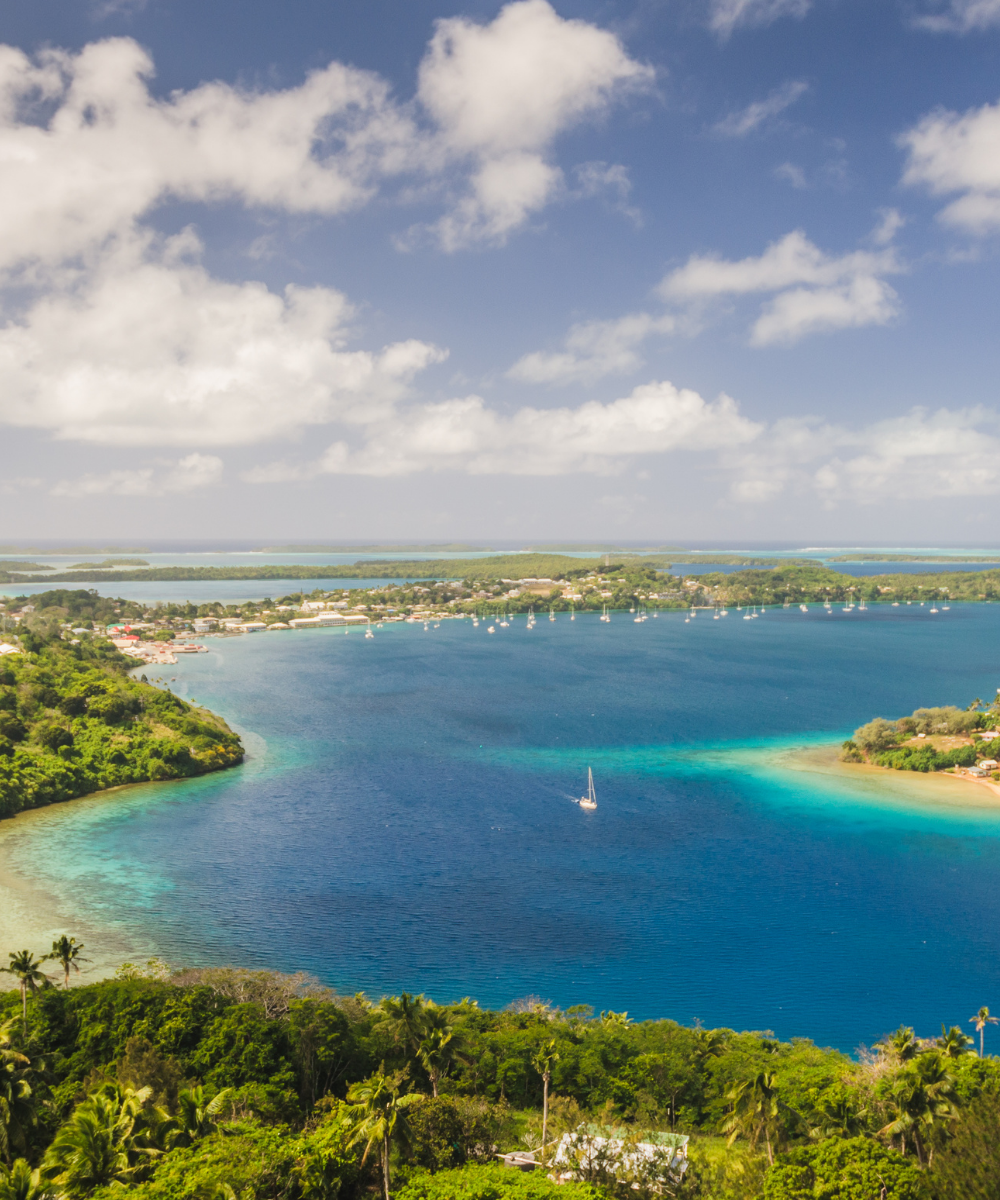
Tonga is 170-plus islands scattered across the western South Pacific — the only monarchy left in Oceania and one of the few places in the world where you can legally swim with humpback whales in season. A Blikst Tonga eSIM runs on Digicel Tonga at 3G / 4G speeds, covering Tongatapu (the main island), Vava'u, Ha'apai, and the populated 'Eua island.
Nuku'alofa and the populated parts of Tongatapu (the main island with the capital) have reliable 4G. The south-coast blowholes area at Mapu'a 'a Vaea has 4G on the cliffs. Vava'u — the northern island group that's the centre of whale-swim tourism — has 4G around Neiafu and 3G on the outer anchorages in the Port of Refuge. Ha'apai is thinner, with coverage around Pangai and Lifuka and weak to absent on the outer islands. 'Eua has basic 3G in 'Ohonua. The outer Niuas (Niuatoputapu and Niuafo'ou) are effectively offline for most travellers — these are very remote.
Digicel sells tourist SIMs at Fua'amotu International (TBU) on Tongatapu. Registration is straightforward but the post-flight queue can drag. Home-carrier roaming rates for Tonga are usually premium Pacific tier — $15+/day. A Blikst eSIM sized to your stay pays for itself within a couple of days.
Most travellers arrive at TBU on Tongatapu, connecting to Vava'u or Ha'apai via Lulutai Airlines' domestic flights. Direct international flights into Vava'u (VAV) are rare and mostly charter. Install the eSIM profile before you leave. The line registers on Digicel once you clear customs. Inter-island flight hops keep you on the same network when there's coverage to connect to.
Humpback whale season in Vava'u runs roughly July to October. Operators are heavily booked during the peak (August–September). Boat-day communication happens the morning of the tour via Messenger or WhatsApp; signal from Vava'u's Port of Refuge is generally strong. Once you're out in the open water for whale swims, signal weakens but most operators stay within a few kilometres of home anchorages. Inter-island sailing from Vava'u to Ha'apai passes through real gaps.
Tonga is quiet by design — Sundays are strictly observed (most shops close and activities stop), and internet-heavy tasks are best scheduled for weekdays when everyone else is working too. Cyclone season runs November to April and can knock cell towers offline for days after serious storms; have a backup plan if travelling in that window.
A 4-day Tongatapu stopover: 1–2 GB. A one-week Vava'u whale-swim trip: 3 GB. A two-week Tongatapu + Vava'u + Ha'apai island-hopper: 5 GB (plenty of offline time). A month of researcher or remote-work stay based in Nuku'alofa or Neiafu: 10 GB — speeds are modest enough that heavy video streaming isn't practical regardless.
Install before you fly, land at TBU with Messenger open, and confirm your whale-swim operator's pickup the morning of, instead of at a kiosk after a 10-hour flight.


Couldn't load pickup availability


Confirm that your smartphone or device supports our Blikst eSIM functionality.
Learn More

Use the provided step-by-step guide to set up and activate your eSIM in few minutes. Then enjoy your trip.
Learn MoreAffordable and reliable. Traveled to the US for a trip and used blikst. It was much more affordable than other companies and was very
Smooth, simple, just works. Use it again.
Quick activation and stable connection. Super handy 🌟 Used it during my trip in Madeira.
Lovely support, got an esim for UK. Had no issues.
I used to have 3 mobile but the internet connection was not the best, that’s why I started to use Blikst and I find it very useful
The Blikst Tonga eSIM runs on Digicel Tonga, the main mobile operator across the islands. You get 3G and 4G speeds rather than 5G, which is normal for the South Pacific. There's reliable 4G around Nuku'alofa on Tongatapu and around Neiafu in Vava'u, with 3G filling in on quieter outer anchorages and smaller islands.
Coverage spans Tongatapu, Vava'u, Ha'apai and the populated 'Eua island. Nuku'alofa and populated Tongatapu have reliable 4G, with 4G even on the Mapu'a 'a Vaea blowhole cliffs. Vava'u has 4G around Neiafu and 3G on the outer Port of Refuge anchorages. Ha'apai is thinner, around Pangai and Lifuka, and weak to absent on outer islands. 'Eua has basic 3G in 'Ohonua, and the remote Niuas are effectively offline.
Right after you buy, you'll get a confirmation email with your eSIM details, so delivery takes minutes. Install the profile by scanning the QR code before you leave home. Activation is automatic: the line registers on Digicel and switches on once you arrive in Tonga and clear customs. Land at Fua'amotu (TBU) with Facebook Messenger already open rather than queuing at a kiosk after a long flight.
Most modern smartphones work fully with Blikst eSIMs, though a few exceptions exist, so check our detailed compatibility list to confirm your device. Your phone also needs to be carrier-unlocked. On an iPhone, look under Settings, General, About for an EID number; on Android, check for eSIM support in your network settings. If you see an EID, you're almost certainly good to go.
It depends on your trip. A four-day Tongatapu stopover is fine on 1 to 2 GB. A one-week Vava'u whale-swim trip suits about 3 GB. A two-week island-hopper across Tongatapu, Vava'u and Ha'apai works on 5 GB, with plenty of offline time built in. A month of remote work based in Nuku'alofa or Neiafu fits 10 GB, since modest speeds make heavy video streaming impractical anyway.
Yes, tethering and hotspot are supported, so you can share the connection with a laptop or a travelling companion's phone. Bear in mind speeds are 3G or 4G, which is comfortable for messaging, maps and email but not for heavy streaming. Signal is strongest around Nuku'alofa and Neiafu, so plan any data-heavy tasks for when you're in those well-covered spots.
This is a data plan, so calls and texts go over the internet using apps rather than a traditional phone line. In Tonga that means Facebook Messenger, which dominates for guesthouses and whale-swim operators, plus WhatsApp for many international-run dive shops. FaceTime works too. Because the eSIM is a separate digital line, your physical home SIM and number can stay in the phone for when you're back on Wi-Fi or home networks.
Usually, yes. Home-carrier roaming for Tonga sits in the premium Pacific tier, often 15 US dollars or more per day, so a Blikst eSIM sized to your stay pays for itself within a couple of days. Digicel does sell tourist SIMs at Fua'amotu International, but registration means joining the post-flight queue, whereas your eSIM is installed before you fly and ready the moment you land.