

Kornelijus
Affordable and reliable. Traveled to the US for a trip and used blikst. It was much more affordable than other companies and was very

 Trust score 4.5
Device Compatibility: Most modern smartphones are fully compatible with Blikst eSIMs. However, a few exceptions exist. Check our detailed compatibility list to confirm your device works flawlessly with our service..
Activation Policy: Enjoy automatic activation by simply scanning the QR code provided after purchase. Your eSIM will instantly activate upon your arrival at Panama, ensuring immediate connectivity.
Delivery Time: Receive a confirmation email with your eSIM details right after completing your purchase. Quick and seamless delivery ensures you’re ready to go in minutes.
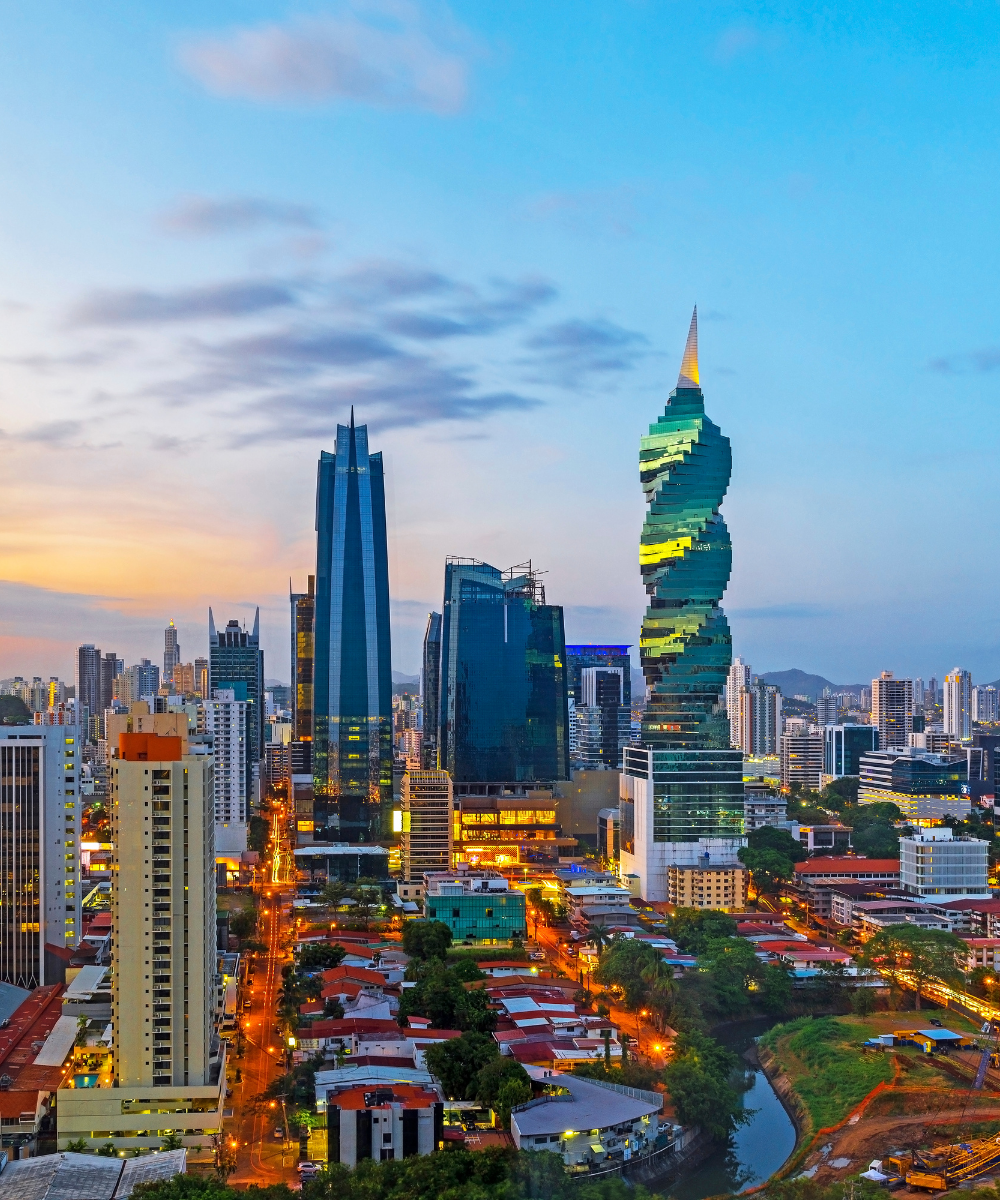
Panama's traveller geography is concentrated around Panama City, the Canal zone, Bocas del Toro on the Caribbean side, and the Pacific beach corridor from Coronado to Playa Venao. A Blikst Panama eSIM runs on Millicom's Tigo Panama 3G/4G network, which covers Panama City densely, Colón and the Canal corridor, David and the Boquete highlands, and most of the Pan-American Highway. Coverage thins out in Darién Province (unsurprisingly — it's jungle) and on some of the smaller Guna Yala (San Blas) islands.
Panama City (Punta Pacifica, Casco Viejo, Costa del Este, Clayton), Colón, the Canal watching points at Miraflores and Agua Clara, David, and Boquete all have solid 4G. The Pan-American Highway from Panama City west to the Costa Rican border is consistently covered. Bocas del Toro (Isla Colón, Bocas Town) has 4G; outer islands like Bastimentos and Zapatilla Cays have thinner signal. Guna Yala (San Blas) islands are a Guna autonomous region with limited mobile infrastructure — signal is patchy at best on the inhabited islands and usually absent on day-trip cays. The Pearl Islands (Contadora) have 4G at the main town.
Tigo, Claro, and Digicel all sell tourist SIMs at Tocumen airport with passport registration — around $5–$15 for data packs. US carriers often charge $10–$12 per day for Panama roaming, which makes a week-long trip meaningfully more expensive than a Blikst plan. The eSIM also skips the Tocumen arrival queue, which can be long during cruise passenger disembarkation.
Install the profile at home on Wi-Fi. Land at Tocumen International (PTY) or Enrique Malek (DAV) in David, switch airplane mode off, and Tigo registers. Tocumen is 25 km from Panama City proper — Uber works directly from the terminal for around $25–$35 to Casco Viejo or Punta Pacifica. The Metrobús and Metro are cheap alternatives but take longer and require a rechargeable tarjeta.
Bocas del Toro is reached by flight from Albrook (PAC) or by the Almirante ferry; Isla Colón and Bocas Town have 4G. Boquete is mountain-town territory with good 4G in town and thinner signal on the Volcán Barú trail. The Guna Yala islands require permission from the Guna authorities and are typically visited on a pre-booked tour — assume limited connectivity and brief your family before you depart.
Panama Canal transits typically include the Miraflores, Pedro Miguel, and Gatun/Agua Clara locks — signal is strong at the start and end, weaker in the middle of Gatun Lake. Expats in Coronado, Boquete, and Pedasí should check whether a dedicated local Tigo plan is cheaper for long-term stays; the eSIM is best for short-to-medium trips.
A 3-day Panama City + Canal trip — 2 GB. A one-week trip including Bocas or Boquete — 5 GB. Two-week Panama loop covering the city, Bocas, Boquete, and the Pacific beaches — 10 GB. Digital nomads in Panama City or Coronado for a month — 20 GB or more.
Install before you fly, land at Tocumen, and skip the airport SIM queue entirely.


Couldn't load pickup availability


Confirm that your smartphone or device supports our Blikst eSIM functionality.
Learn More

Use the provided step-by-step guide to set up and activate your eSIM in few minutes. Then enjoy your trip.
Learn MoreAffordable and reliable. Traveled to the US for a trip and used blikst. It was much more affordable than other companies and was very
Smooth, simple, just works. Use it again.
Quick activation and stable connection. Super handy 🌟 Used it during my trip in Madeira.
Lovely support, got an esim for UK. Had no issues.
I used to have 3 mobile but the internet connection was not the best, that’s why I started to use Blikst and I find it very useful
The Blikst Panama eSIM runs on Millicom's Tigo Panama network (network provider: Millicom), one of the country's main mobile operators. You get 3G and 4G speeds, which is plenty for maps, messaging, streaming and video calls in the main travel areas. Tigo covers Panama City densely, along with Colón, the Canal corridor, David and the Boquete highlands, so most of your trip will sit comfortably on solid 4G.
Coverage is strong across the places travellers actually go. Panama City neighbourhoods like Punta Pacifica, Casco Viejo, Costa del Este and Clayton all have solid 4G, as do Colón, the Canal watching points at Miraflores and Agua Clara, David and Boquete. The Pan-American Highway west to the Costa Rican border is consistently covered. Be honest about the weak spots, though: Darién Province is jungle with thin coverage, the Guna Yala (San Blas) islands are patchy at best, and outer Bocas islands like Bastimentos and Zapatilla Cays have weaker signal.
Right after you buy, you'll get a confirmation email with your eSIM details, so delivery takes just minutes. Install the profile at home on Wi-Fi by scanning the QR code provided. Activation is automatic on arrival: land at Tocumen International (PTY) or Enrique Malek (DAV) in David, switch airplane mode off, and Tigo registers you straight away. That means immediate connectivity the moment you touch down, and you skip the airport SIM queue entirely.
Most modern smartphones work flawlessly with Blikst eSIMs, though a few exceptions exist, so it's worth checking our detailed compatibility list before you buy. Your phone also needs to be carrier-unlocked. To confirm eSIM support, on an iPhone go to Settings, General, About and look for an EID number; on Android, check your network or SIM settings. If you see an EID or an eSIM option, you're good to go.
It depends on your trip. A 3-day Panama City and Canal visit is comfortable on about 2 GB. A one-week trip that includes Bocas del Toro or Boquete suits around 5 GB. A two-week Panama loop covering the city, Bocas, Boquete and the Pacific beaches is better on roughly 10 GB. Digital nomads staying a month in Panama City or Coronado should plan on 20 GB or more. Navigation and video calls are the main drains.
Yes, tethering and hotspot are supported, so you can share your connection with a laptop, tablet or a travelling companion's phone. It's handy for working from a cafe in Casco Viejo or Boquete, or keeping a second device online during a Canal-watching day at Miraflores. Just remember that hotspotting uses the same data allowance as everything else, so a video-heavy session on a shared device can run through your plan faster than you'd expect.
These are data-only plans, so they don't come with a Panamanian phone number for traditional calls or SMS. In practice that's rarely a problem, because hotels, tour operators and dive shops across Panama default to WhatsApp, and you can call or message freely over the internet using apps like WhatsApp or FaceTime. Your eSIM is a separate digital line, so you can leave your physical home SIM in the phone to keep your usual number for important texts.
It usually works out well. US carriers often charge around $10 to $12 a day for Panama roaming, which makes a week-long trip meaningfully more expensive than a Blikst plan. Tigo, Claro and Digicel do sell tourist SIMs at Tocumen for roughly $5 to $15, but those require passport registration and a wait in the arrival queue, which can be long during cruise disembarkation. The eSIM skips that queue entirely. For long-term expat stays, though, a dedicated local Tigo plan may be cheaper.