

Kornelijus
Affordable and reliable. Traveled to the US for a trip and used blikst. It was much more affordable than other companies and was very

 Trust score 4.5
Device Compatibility: Most modern smartphones are fully compatible with Blikst eSIMs. However, a few exceptions exist. Check our detailed compatibility list to confirm your device works flawlessly with our service..
Activation Policy: Enjoy automatic activation by simply scanning the QR code provided after purchase. Your eSIM will instantly activate upon your arrival at Albania, ensuring immediate connectivity.
Delivery Time: Receive a confirmation email with your eSIM details right after completing your purchase. Quick and seamless delivery ensures you’re ready to go in minutes.
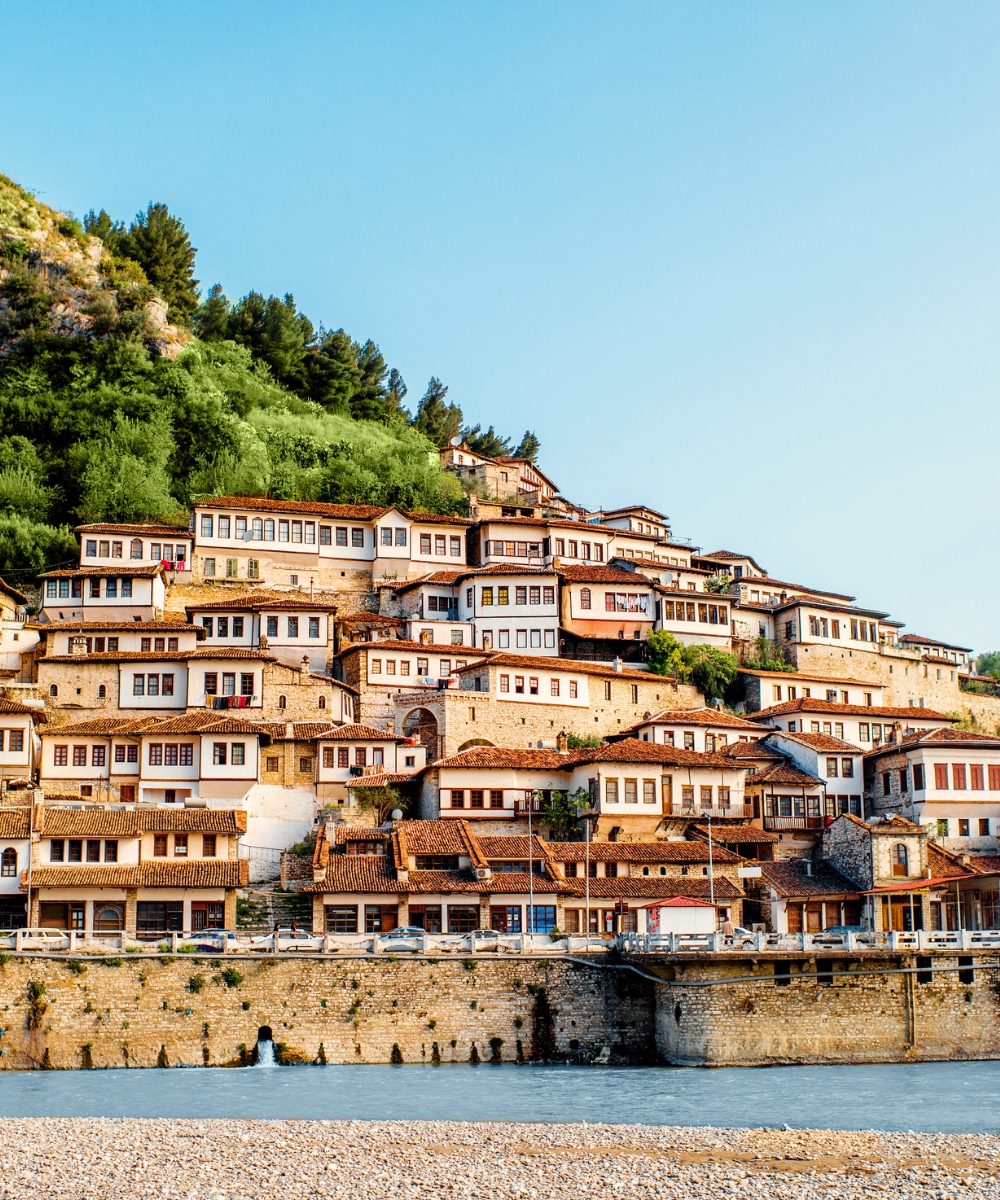
Albania has become the Balkan value destination of the decade — the Albanian Riviera from Vlore down to Saranda, Tirana's pyramid-and-Blloku mix, Berat and Gjirokaster's Ottoman old towns, and the Theth-Valbona mountain trek all sit in a country you can cross in seven hours of driving. It's also outside the EU roaming area, so EU visitors who were paying nothing in Croatia or Greece suddenly hit international rates. A Blikst Albania eSIM runs on Vodafone Albania with 3G / 4G coverage across Tirana, Durres, Vlore, Saranda, Shkoder, Berat, and the main SH-roads.
Tirana (Blloku, centre, Kombinat), Durres, Vlore, Saranda, Shkoder, Berat, Gjirokaster, and Elbasan all sit on 4G. The SH-2 Tirana–Durres motorway and the SH-4 south toward Vlore and Saranda are well covered. The Albanian Riviera road (SH-8) from Orikum over Llogara to Saranda has 4G in towns (Himare, Dhermi) and 3G on the pass. The Accursed Mountains north — Theth, Valbona, Koman ferry — have 3G near villages and long offline stretches in the valleys. Lake Ohrid border area (Pogradec) is 4G.
Albania is not in the EU, so roam-like-home does not apply. UK, US and non-EU travellers face standard international roaming. Vodafone, One (ex-Telekom Albania), and ALBtelecom sell tourist SIMs at Tirana airport with registration — it works but it's an errand. A Blikst plan on the same Vodafone infrastructure skips the shop and keeps you online from the gate.
Install the profile over home Wi-Fi before you fly. Tirana International Airport (TIA) has Wi-Fi but the arrivals hall gets crowded. When you clear immigration and switch off airplane mode, the Vodafone Albania line registers automatically. Overland arrivals — from Montenegro (Hani i Hotit), Kosovo (Morine), North Macedonia (Qafe Thane), or Greece (Kakavia, Kapshtica) — activate when the eSIM sees an Albanian tower at the border.
If your trip includes the Theth–Valbona trek and the Lake Koman ferry, expect long offline stretches. Download offline Google Maps for the whole northern region, pre-book the Koman ferry via WhatsApp the day before, and treat mobile signal as a bonus rather than a baseline. The Albanian Riviera's Llogara pass also has a few dead spots on the switchbacks — pre-cached routes matter.
A 3-day Tirana weekend: 1–3 GB. A week combining Tirana, Berat and the Riviera: 5 GB. Two-week loops reaching Theth, Valbona and Saranda: 10 GB. A three-week Balkan tour using Albania as one of several countries (separate plan per country): 10 GB on the Albania side. Digital nomads staying in Ksamil or Tirana for a month: 20 GB or more.
Install before you fly, land connected, and skip the Vodafone kiosk at Rinas. The first byrek on Rruga Myslym Shyri doesn't need paperwork first, and the Bunkart bunker tour is more interesting than a SIM-shop queue.


Couldn't load pickup availability


Confirm that your smartphone or device supports our Blikst eSIM functionality.
Learn More

Use the provided step-by-step guide to set up and activate your eSIM in few minutes. Then enjoy your trip.
Learn MoreAffordable and reliable. Traveled to the US for a trip and used blikst. It was much more affordable than other companies and was very
Smooth, simple, just works. Use it again.
Quick activation and stable connection. Super handy 🌟 Used it during my trip in Madeira.
Lovely support, got an esim for UK. Had no issues.
I used to have 3 mobile but the internet connection was not the best, that’s why I started to use Blikst and I find it very useful
The Blikst Albania eSIM runs on Vodafone Albania, one of the country's main mobile operators, with 3G and 4G speeds. That gives you solid 4G across the busier towns and along the main routes, dropping to 3G in more remote spots. It's the same Vodafone infrastructure you'd get from a kiosk SIM at the airport, just without the shop visit and the registration paperwork.
Vodafone Albania holds 4G across Tirana, Durres, Vlore, Saranda, Shkoder, Berat, Gjirokaster, Elbasan and the Pogradec area by Lake Ohrid. The SH-2 Tirana to Durres motorway and SH-4 south are well covered. The SH-8 Riviera road has 4G in towns like Himare and Dhermi but only 3G over the Llogara pass. Be honest with yourself about the north: Theth, Valbona and the Koman ferry have 3G near villages and long offline stretches in the valleys.
Right after you buy, you'll get a confirmation email with your eSIM details, so delivery takes only minutes. Install the profile by scanning the QR code over home Wi-Fi before you fly. Activation is automatic: when you land at Tirana airport, switch off airplane mode and the Vodafone Albania line registers itself. Arriving overland from Montenegro, Kosovo, North Macedonia or Greece works the same way, activating once the eSIM sees an Albanian tower at the border.
Most modern smartphones work fully with Blikst eSIMs, though a few exceptions exist, so it's worth checking our detailed compatibility list to confirm your device. Your phone also needs to be carrier-unlocked. To check eSIM support, look on an iPhone under Settings, General, About for an EID number, or in your Android network settings. If both are present, you're good to go.
It depends on your trip. A three-day Tirana weekend is comfortable on 1 to 3 GB. A week combining Tirana, Berat and the Riviera suits around 5 GB. Two-week loops reaching Theth, Valbona and Saranda are better on 10 GB. If Albania is one leg of a wider Balkan tour, plan about 10 GB for the Albania side. Digital nomads settling in Ksamil or Tirana for a month should look at 20 GB or more.
Yes, tethering and hotspot are supported, so you can share your connection with a laptop, tablet or a travel companion's phone. That's handy for working from a guesthouse on the Riviera or planning routes from a cafe in Tirana. Bear in mind your speed is whatever Vodafone Albania delivers locally, 4G in the towns and 3G in remote areas, so hotspotting in the northern mountains will be slow or unavailable.
This is a data plan, so it doesn't come with a local Albanian phone number for traditional calls or SMS. In practice that's rarely a limit, because Albania's tourism economy runs on WhatsApp: guesthouse owners, Theth guides and Lake Koman ferry captains all coordinate through it. You can call and message over the internet using apps like WhatsApp or FaceTime. Your physical home SIM stays in the phone, so your usual number remains reachable for anything essential.
Albania is outside the EU, so roam-like-home doesn't apply. EU visitors who paid nothing in Croatia or Greece suddenly hit international rates, and UK, US and other non-EU travellers face standard roaming too. Vodafone, One and ALBtelecom sell tourist SIMs at Tirana airport, but that means registration and an errand on arrival. A Blikst plan uses the same Vodafone network while skipping the kiosk queue, keeping you online from the gate.