

Kornelijus
Affordable and reliable. Traveled to the US for a trip and used blikst. It was much more affordable than other companies and was very

 Trust score 4.5
Device Compatibility: Most modern smartphones are fully compatible with Blikst eSIMs. However, a few exceptions exist. Check our detailed compatibility list to confirm your device works flawlessly with our service..
Activation Policy: Enjoy automatic activation by simply scanning the QR code provided after purchase. Your eSIM will instantly activate upon your arrival at Montenegro, ensuring immediate connectivity.
Delivery Time: Receive a confirmation email with your eSIM details right after completing your purchase. Quick and seamless delivery ensures you’re ready to go in minutes.
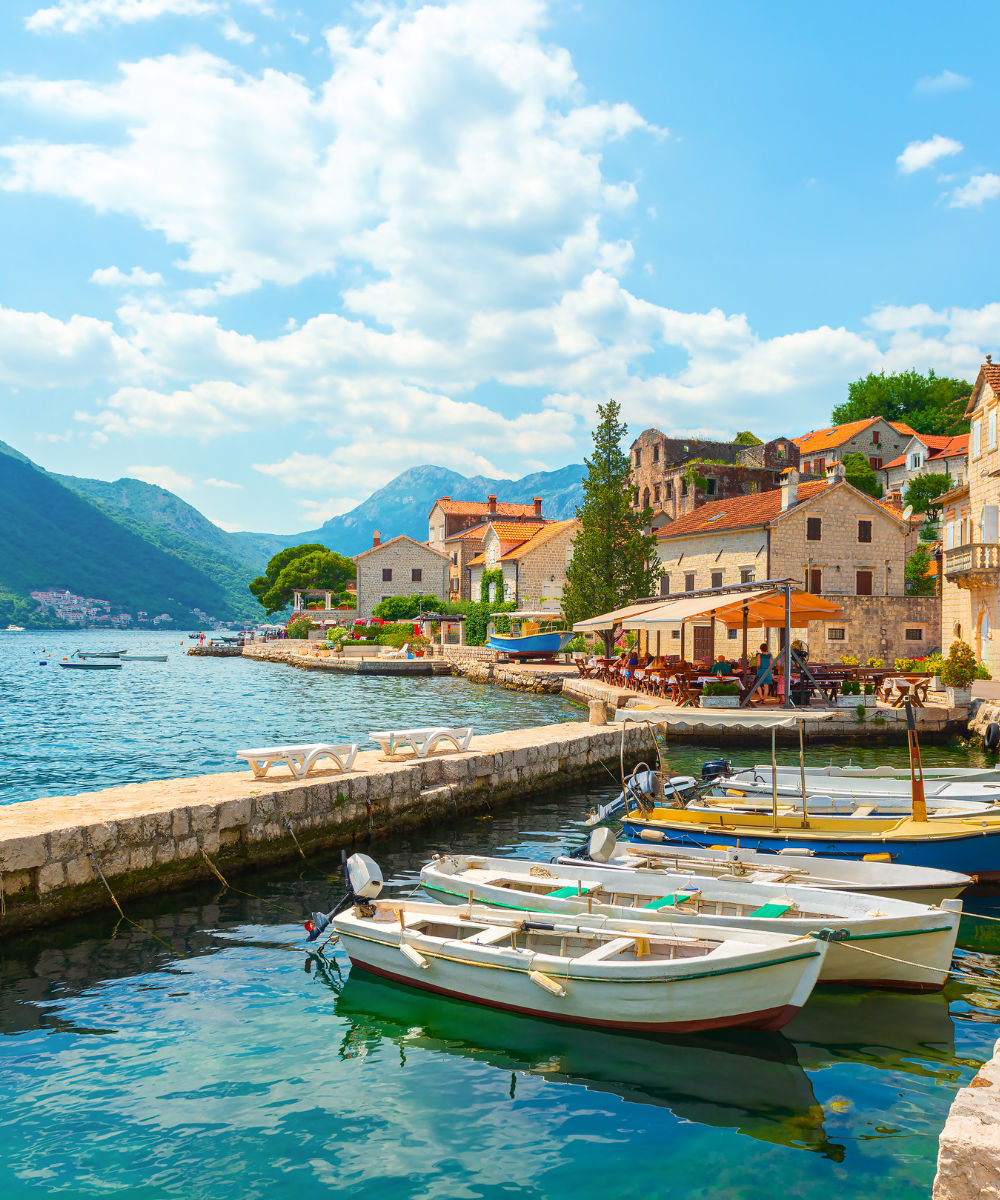
Montenegro is a small country with dramatic coverage gradients — full 5G in Podgorica and around the Bay of Kotor, reliable 4G along the coast to Ulcinj, and more patchy reception once you climb into Durmitor and the northern mountain ranges. A Blikst Montenegro eSIM runs on Telenor Montenegro (now operating under the Yettel brand in some markets, but delivered on the former Telenor infrastructure and typically labelled Telenor on devices), with 4G / 5G coverage across the coastal belt, the central valley, and the main highway up toward Serbia.
Podgorica, Budva, Kotor, Tivat (where the main tourist airport sits), Herceg Novi and Bar all get 5G. The coastal E-80 between Herceg Novi and Ulcinj is well covered on 4G or 5G throughout. Cetinje and the Lovćen National Park roads have signal at the villages; some of the hairpin switchbacks up to the Njegoš Mausoleum drop briefly. Durmitor National Park (Žabljak, Black Lake area) has town and resort coverage but offline stretches on the Tara Canyon rafting sections and the higher Bobotov Kuk trails. Biogradska Gora and the Prokletije highlands in the north-east are thinner — download offline maps before you go up.
Montenegro is NOT in the EU, so roam-like-home does not apply. Most EU and UK carriers charge €5–€10 per day on Balkan roaming bundles. US travellers on typical international plans pay around $10 per day. A Blikst eSIM for a week undercuts all of those comfortably. Physical Telenor, M:tel or One SIMs are available at Tivat (TIV) and Podgorica (TGD) airports but require ID registration.
Install the eSIM on home Wi-Fi before you fly. When you land at Tivat (TIV) or Podgorica (TGD) and switch airplane mode off, the Blikst profile registers on Telenor Montenegro automatically. Turn off data roaming on your home line. Coming in from Dubrovnik by road or bus across the Croatian border? Your phone will sit on Croatian networks until you're a few kilometres past the Debeli Brijeg crossing; the Montenegrin plan activates once a local tower picks you up.
A weekend in Kotor and Budva fits in 2 GB. A week touring Kotor, Budva, Ulcinj and Lovćen with a rental car sits on 3–5 GB. Two-week trips combining the coast, Durmitor rafting and a loop to Lake Skadar want 10 GB. Travellers on a broader Balkan itinerary (Croatia, Montenegro, Albania, North Macedonia) should look at regional plans to avoid juggling eSIMs at every border. Remote workers basing in Kotor or Tivat for a month should size 20 GB or higher.
Montenegro uses the euro despite being outside the EU and the eurozone formally — a quirk worth knowing, not worth worrying about. Contactless payments are common in tourist areas, less so in the interior. Keep data on so your card app can verify transactions. Mountain roads to Durmitor can close in winter; check live conditions.
Install at home, land at TIV or TGD, and your Blikst line comes up on Telenor Montenegro as you walk into arrivals. Straight to the rental desk or the taxi rank on the coast, with 5G running and no roaming surprise waiting at the end of the trip.


Couldn't load pickup availability


Confirm that your smartphone or device supports our Blikst eSIM functionality.
Learn More

Use the provided step-by-step guide to set up and activate your eSIM in few minutes. Then enjoy your trip.
Learn MoreAffordable and reliable. Traveled to the US for a trip and used blikst. It was much more affordable than other companies and was very
Smooth, simple, just works. Use it again.
Quick activation and stable connection. Super handy 🌟 Used it during my trip in Madeira.
Lovely support, got an esim for UK. Had no issues.
I used to have 3 mobile but the internet connection was not the best, that’s why I started to use Blikst and I find it very useful
An eSIM, or Embedded SIM, is a digital SIM that allows you to activate a mobile plan without using a physical SIM card. It is built directly into your smartphone, smartwatch, or tablet and provides the same functionality as a physical SIM. With eSIM, switching between carriers or adding a secondary number becomes seamless and hassle-free.
Getting an eSIM is simple! Check if your device supports eSIM technology. Then, purchase an eSIM plan from your preferred carrier or from our website. After purchase, you’ll receive a QR code or activation details to set up the eSIM on your device in minutes.
Most modern smartphones, including the latest iPhones, Samsung Galaxy models, and Google Pixel devices, are eSIM compatible. Check your device settings under “Cellular” or “Mobile Data” to see if eSIM options are available. Alternatively, refer to your device’s specifications or contact us for guidance.
The number of eSIMs you can have depends on your device. For example, most iPhones allow multiple eSIM profiles but only one active eSIM at a time. Some Android devices support dual-active eSIMs, giving you more flexibility. Check your device’s specifications for details.
Activating an eSIM involves a few easy steps: 1. Purchase an eSIM plan from our website or your carrier. 2. Scan the provided QR code using your device’s camera or enter the activation code manually. 3. Follow the on-screen instructions to add the eSIM profile to your device. Once activated, your eSIM is ready to use!
To activate an eSIM on iPhone: 1. Go to Settings > Cellular > Add Cellular Plan. 2. Scan the QR code from your eSIM provider or enter the activation details manually. 3. Choose your preferred settings for data, calls, and messaging, then tap Done. Your eSIM is now set up and ready to use.
Yes, eSIM offers several advantages over traditional SIM cards: Convenience: No physical SIM card required. Flexibility: Easily switch between carriers or plans. Space-saving: Frees up internal space in devices for additional features. Eco-friendly: Reduces plastic waste. Upgrade to eSIM and experience seamless connectivity like never before.
Unfortunately, it is not possible to transfer your eSIM using the same QR code, as QR codes can only be scanned once for security reasons. If you wish to use your eSIM on a new device, you will need to contact your carrier to request a new activation code or QR code. Once issued, you can set up the eSIM on your new device following the standard activation process.