

Kornelijus
Affordable and reliable. Traveled to the US for a trip and used blikst. It was much more affordable than other companies and was very

 Trust score 4.5
Device Compatibility: Most modern smartphones are fully compatible with Blikst eSIMs. However, a few exceptions exist. Check our detailed compatibility list to confirm your device works flawlessly with our service..
Activation Policy: Enjoy automatic activation by simply scanning the QR code provided after purchase. Your eSIM will instantly activate upon your arrival at Iran (Islamic Republic of), ensuring immediate connectivity.
Delivery Time: Receive a confirmation email with your eSIM details right after completing your purchase. Quick and seamless delivery ensures you’re ready to go in minutes.
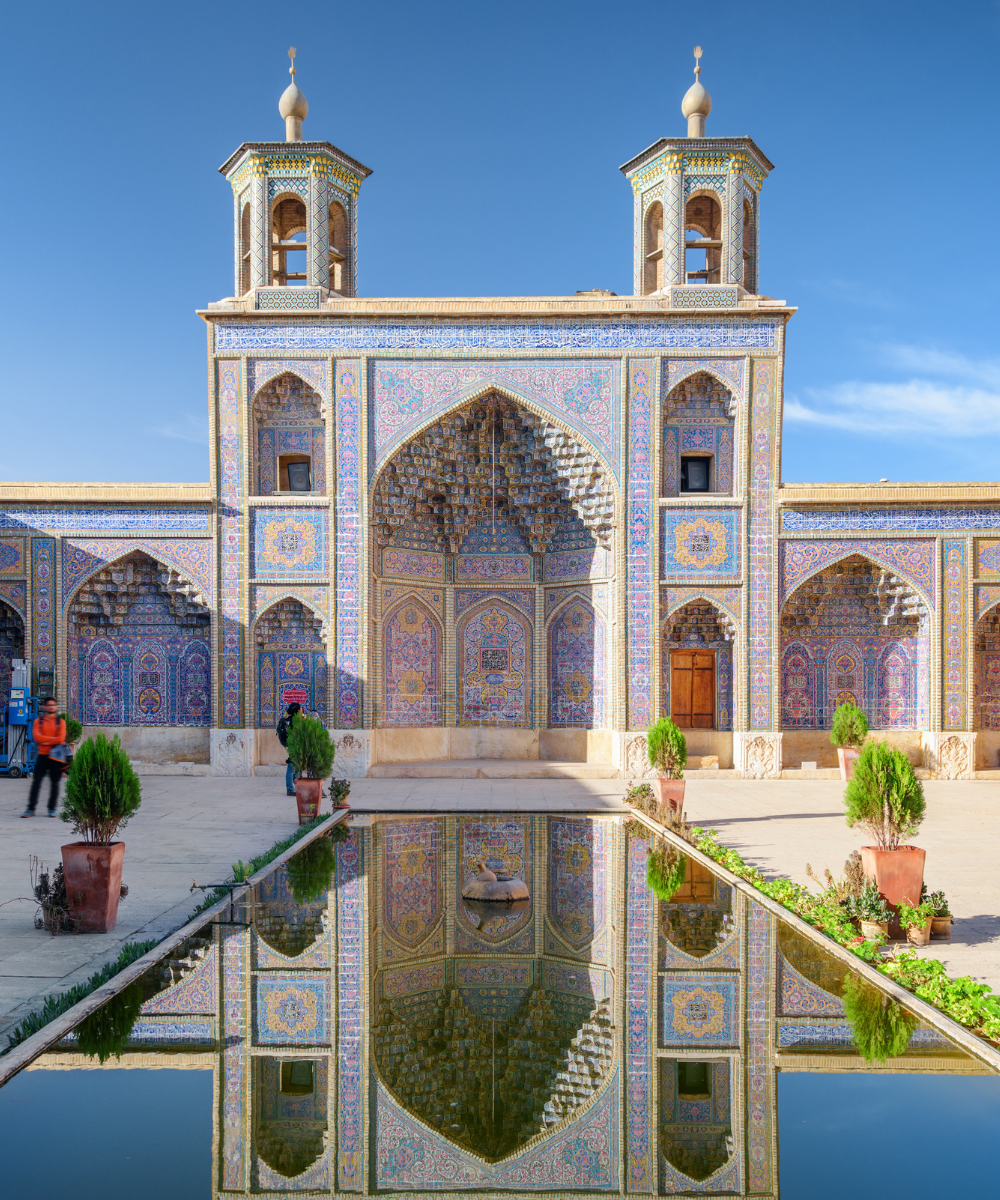
Iran's tourist route — Tehran, Isfahan, Shiraz, Yazd, and Kashan — combines ancient cities with one of the more complex mobile-data environments on any traveller's itinerary. Many Western apps are blocked at the ISP level, VPN use is widespread, and payment with foreign credit cards is effectively impossible because of sanctions. A Blikst Iran eSIM runs on the Irancell network (MTN Irancell, the country's second-largest operator), with 4G across the main cities and highway corridors and 3G in rural and desert areas. Install before you fly, land at Imam Khomeini International (IKA) in Tehran or at Mashhad (MHD) or Isfahan (IFN), and skip the carrier registration at an Irancell shop.
Tehran, Isfahan, Shiraz, Mashhad, Tabriz, Yazd, and Kerman all have 4G. The highway network connecting them — the Tehran–Qom–Isfahan A1 and the Isfahan–Yazd–Kerman spine — is well covered. Persepolis and Pasargadae have 4G at the visitor centres and nearby towns. Desert excursions around Varzaneh and the Kaluts near Shahdad drop to 3G and edge. The Alamut Valley and the Caspian forest roads past Ramsar are patchy. Skiing resorts near Tehran (Dizin, Shemshak, Tochal) have basic 4G at the base stations.
Mobile data works, but access to many services most travellers rely on — Google Maps (some features), WhatsApp, Instagram, Facebook, and app-store updates from outside Iran — is subject to filtering and enforcement that changes frequently. Locals use VPNs and domestic alternatives. Download everything you think you'll need before you fly: offline Google Maps tiles, offline translation packs, a reading list you've already cached. Apple Pay, Google Pay, and foreign-card payments do not work — bring cash (euros or US dollars) and exchange on arrival. The eSIM gives you a data line; it doesn't route around content restrictions.
Irancell and MCI sell tourist SIMs at IKA with passport registration and a modest fee. The process works but takes time after a late-night Turkish Airlines or Qatar Airways arrival. A Blikst eSIM skips the counter entirely. Against US or EU roaming — where carriers typically do not offer Iran roaming at all, or charge punitive pay-per-use rates — the comparison isn't really meaningful; the eSIM is often the only practical option.
Install the profile at home over Wi-Fi. IKA is 35 km south of Tehran and the ride into town takes 45–90 minutes depending on traffic. Switch off airplane mode after landing and the Blikst line registers on Irancell automatically. Pre-booked hotel transfers and tour-company drivers are the standard arrival method; Snapp and Tapsi (Iranian ride-hailing apps) are the local Uber equivalents, but they require Iranian phone numbers to register — plan for a hotel pickup first.
A one-week Tehran–Isfahan–Yazd–Shiraz classic route works on 5–10 GB, especially if you lean on VPN for calls home (VPNs use data heavily). Two-week tours adding Kashan, Persepolis, and Kerman sit at 10–15 GB. Overland travellers through the region for three weeks or more should pick 20 GB or higher. If you're a journalist, researcher, or long-term visitor, plan for heavy VPN overhead above the actual app usage.
Install the eSIM before boarding. Land at Imam Khomeini or Mashhad with the Irancell line already provisioned, meet your hotel driver at arrivals, and head into Tehran without a SIM-store detour. One QR code and a working data line — inside the constraints of the local network environment.


Couldn't load pickup availability


Confirm that your smartphone or device supports our Blikst eSIM functionality.
Learn More

Use the provided step-by-step guide to set up and activate your eSIM in few minutes. Then enjoy your trip.
Learn MoreAffordable and reliable. Traveled to the US for a trip and used blikst. It was much more affordable than other companies and was very
Smooth, simple, just works. Use it again.
Quick activation and stable connection. Super handy 🌟 Used it during my trip in Madeira.
Lovely support, got an esim for UK. Had no issues.
I used to have 3 mobile but the internet connection was not the best, that’s why I started to use Blikst and I find it very useful
An eSIM, or Embedded SIM, is a digital SIM that allows you to activate a mobile plan without using a physical SIM card. It is built directly into your smartphone, smartwatch, or tablet and provides the same functionality as a physical SIM. With eSIM, switching between carriers or adding a secondary number becomes seamless and hassle-free.
Getting an eSIM is simple! Check if your device supports eSIM technology. Then, purchase an eSIM plan from your preferred carrier or from our website. After purchase, you’ll receive a QR code or activation details to set up the eSIM on your device in minutes.
Most modern smartphones, including the latest iPhones, Samsung Galaxy models, and Google Pixel devices, are eSIM compatible. Check your device settings under “Cellular” or “Mobile Data” to see if eSIM options are available. Alternatively, refer to your device’s specifications or contact us for guidance.
The number of eSIMs you can have depends on your device. For example, most iPhones allow multiple eSIM profiles but only one active eSIM at a time. Some Android devices support dual-active eSIMs, giving you more flexibility. Check your device’s specifications for details.
Activating an eSIM involves a few easy steps: 1. Purchase an eSIM plan from our website or your carrier. 2. Scan the provided QR code using your device’s camera or enter the activation code manually. 3. Follow the on-screen instructions to add the eSIM profile to your device. Once activated, your eSIM is ready to use!
To activate an eSIM on iPhone: 1. Go to Settings > Cellular > Add Cellular Plan. 2. Scan the QR code from your eSIM provider or enter the activation details manually. 3. Choose your preferred settings for data, calls, and messaging, then tap Done. Your eSIM is now set up and ready to use.
Yes, eSIM offers several advantages over traditional SIM cards: Convenience: No physical SIM card required. Flexibility: Easily switch between carriers or plans. Space-saving: Frees up internal space in devices for additional features. Eco-friendly: Reduces plastic waste. Upgrade to eSIM and experience seamless connectivity like never before.
Unfortunately, it is not possible to transfer your eSIM using the same QR code, as QR codes can only be scanned once for security reasons. If you wish to use your eSIM on a new device, you will need to contact your carrier to request a new activation code or QR code. Once issued, you can set up the eSIM on your new device following the standard activation process.